BGD66 app allows players to access the online entertainment platform directly from their Android or iOS phones without opening a browser. The application offers various games across different categories, provides updated promotional offers, and supports direct account management on mobile devices. Below is a guide on how to install the BGD66 app as quickly as possible.
Latest BGD66 app version
BGD66 app offers dedicated versions for Android and iOS phones, allowing players to access their accounts directly without using a browser. Before downloading, check the technical specifications below to choose the version that is compatible with your device.
| Detailed information | Android version (APK) | iOS version (iPhone/iPad) |
| Latest version | v2.4.8 (Updated 2026) | v2.4.8 (Updated 2026) |
| File size | ~38.5 MB | ~45.2 MB |
| Compatible operating system | Android 6.0 or later | iOS 12.0 or later |
| Installation format | Direct .apk file | Enterprise setup profile |
| Supported language | Bengali | Bengali |
| Download cost | Free | Free |
| Key features | Fingerprint or Face ID login, instant notifications, and quick deposit and withdrawal processing | Optimized graphics, Face ID/Touch ID, reduced lag |
How to download BGD66 app to your device
BGD66 app can be downloaded directly from the official website without searching on Google Play or the App Store. Players simply need to select the version compatible with their phone, download the installation file, and follow the instructions below.
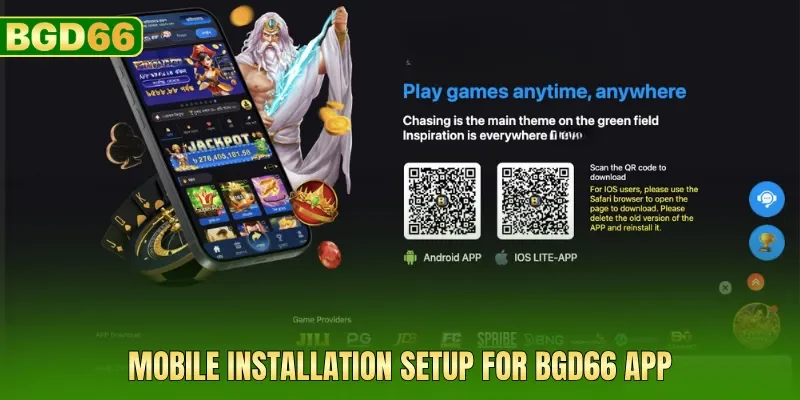
How to install BGD66 app on Android phones
Android phones use an APK file to install the BGD66 application. Before starting, check your available storage and allow your device to install apps from external sources if required by the system.
- Step 1: Open a browser on your phone and visit the official BGD66 website.
- Step 2: Find the app download section on the homepage, then select BGD66 app Android (APK).
- Step 3: Tap the Download button and wait for the installation file to be saved in the Download folder.
- Step 4: Open your phone’s Settings, go to Security or Privacy, and enable permission to install apps from unknown sources for the browser you are using.
- Step 5: Open the downloaded APK file, tap Install, and wait for the system to complete the process.
- Step 6: Launch BGD66 app and log in to your account to start using it.
How to download BGD66 app on iOS
For iPhones and iPads, players can download the application through the installation link provided by the BGD66 website. Depending on the distribution method, the device may require confirmation of an enterprise configuration profile before the app can be opened.
- Step 1: Open Safari on your iPhone or iPad and visit the official BGD66 website.
- Step 2: Select the BGD66 app iOS download option to open the corresponding installation link.
- Step 3: Tap Install when the confirmation notification appears on the screen.
- Step 4: Wait for the BGD66 icon to appear on your device’s home screen.
- Step 5: If iOS asks you to verify the enterprise developer, go to Settings → General → VPN & Device Management.
- Step 6: Check the developer’s name and select Trust only if you have verified that the profile belongs to the application’s official publisher.
- Step 7: Open the BGD66 app and log in to check that it works properly.
Important notes when downloading BGD66 app
When downloading BGD66 app to a phone, players should pay attention to the download source, installation file size, and device compatibility. Performing a few checks before installation can help prevent download errors or problems launching the application.
Verify the app download URL
Before downloading BGD66 app, visit the official website and carefully verify the provided link. Do not click unfamiliar links found in advertisements, messages, or websites from unknown sources. Fake links may lead to unsafe installation files or applications that do not belong to the platform.
Maintain a reliable internet connection
A weak internet connection may interrupt the BGD66 app download or result in an incomplete installation file. Players should use a stable Wi-Fi connection or a mobile network with good speeds before starting. Avoid switching networks repeatedly during the download, as this may interrupt the connection.
Check your phone’s available storage
The BGD66 app installation file requires sufficient free storage space for downloading and installation. If your phone’s memory is nearly full, it may display an error or fail to complete the process. Players should check their device storage before downloading and delete unnecessary files if there is insufficient space. Preparing in advance helps ensure a smoother app download.
Select the version compatible with your Android or iOS device
BGD66 app provides separate installation files for each operating system, so players need to select the version that matches their phone. Android devices require an APK file, while iPhones and iPads use the iOS installation link. Downloading the wrong version may prevent the app from installing or cause errors when opening it.
How to fix BGD66 app download errors
While downloading BGD66 app game, players may encounter issues such as slow downloads, corrupted APK files, or installation failures. The table below summarizes common errors and their corresponding solutions.
| Error | Cause | Solution |
| The download link fails to open | The link is broken or the internet connection is unstable | Check your internet connection, reload the page, and access the official link |
| App download is too slow | Weak Wi-Fi or mobile network | Connect to a more reliable network before trying again |
| The APK download was unsuccessful | The browser download was interrupted or storage is full | Check available storage, delete the corrupted download, and download again |
| Unable to install on Android | Permission to install apps from external sources has not been granted | Check your security settings and grant permission to the browser downloading the file |
| Unable to install on iPhone | The installation profile has not been verified or the link is faulty | Review the iOS installation instructions and developer information |
| App reports incompatibility | Your device’s operating system is incompatible with the required version | Check your device specifications and choose a compatible installation file |
| Installation file is corrupted | The file may be corrupted or the download may not have completed successfully | Delete the old file, revisit the official website, and download it again |
| The downloaded file cannot be located | The file may have been saved to a different folder | Check the Download folder or your browser’s download history |
Conclusion
BGD66 app provides a convenient way to access the online entertainment platform on Android and iOS phones. Players can download the application directly from the official website, follow the installation instructions, and log in to their accounts in just a few simple steps. Check the app version and available storage to minimize errors during downloading and use.